What Is a Robots.txt File?
Every day, hundreds of automated bots visit your website. Search engine spiders such as Googlebot and Bingbot crawl your pages to understand content for search results, while other crawlers gather data for AI models or competitive analysis. The robots.txt file is the front door of your website’s crawling architecture.
Located strictly at the root of your domain (e.g., https://example.com/robots.txt), this simple, plain-text file communicates which parts of your server automated crawlers are permitted or forbidden to request. Standardized officially by the Internet Engineering Task Force (IETF) under RFC 9309 in 2022, the Robots Exclusion Protocol provides the universally recognized language of crawl control.
The Fundamental Syntax of Robots.txt
A compliant robots.txt file is structured around user-agent groups containing one or more directive lines. Let’s look at a classic, clean configuration:
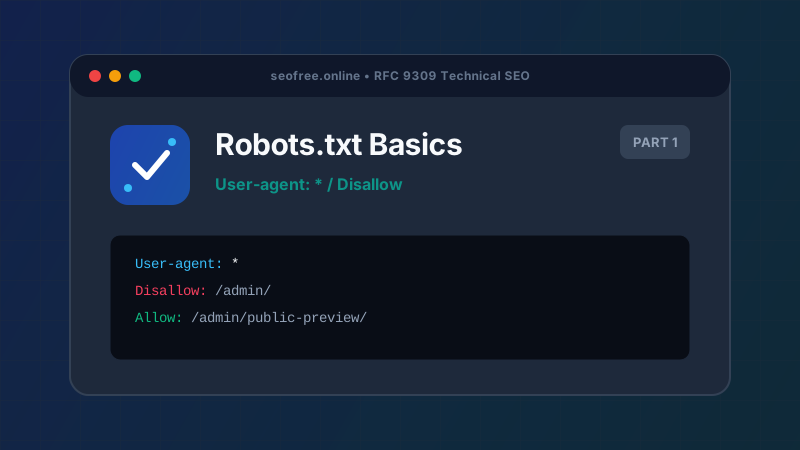
User-agent: *
Disallow: /admin/
Disallow: /checkout/
Allow: /admin/public-preview/

Sitemap: https://example.com/sitemap.xml
Here is what each component achieves:
- User-agent: Identifies which crawler the following rules apply to. An asterisk (
*) is a generic wildcard that matches all automated crawlers that do not have their own specific block. - Disallow: Specifies a URL path prefix that crawlers must not request. In the example above, any path beginning with
/admin/or/checkout/is blocked. - Allow: Carves out an exception to a Disallow rule. Because
/admin/public-preview/is longer and more specific than/admin/, crawlers are permitted to visit that specific subfolder. - Sitemap: Declares the absolute URL of your XML sitemap, helping search engines discover your primary canonical URLs efficiently.
How Crawlers Read and Choose Groups
One of the most common beginner misconceptions is assuming crawlers combine all groups in a robots.txt file. Under RFC 9309, crawlers operate on strict group selection:
- The crawler first looks for a group where the
User-agentheader matches its own product token (e.g.,Googlebot). If found, the crawler obeys only the rules in that specific group. - If no specific group matches its name, the crawler falls back to the generic
User-agent: *group. - If neither a specific group nor a generic group is defined, the crawler assumes all URLs are allowed.
Crucial Rule: Robots.txt Is Not Noindex
Robots.txt controls crawling (whether Googlebot can download the page HTML). It does not control indexing (whether the page URL appears in search results). If other websites link to your disallowed URL, Google will still index the address, displaying a bare snippet that states "No information is available for this page." To remove a page completely from search results, allow it to be crawled and include a <meta name="robots" content="noindex"> tag in the HTML head.
Best Practices for Beginners
- Always place robots.txt at the exact root of your host in lowercase:
/robots.txt. - Never block essential CSS, JavaScript, or font files. Googlebot requires these assets to render your page accurately for mobile and layout evaluation.
- Test your directives before uploading using our Bulk Robots.txt Tester to ensure you haven’t inadvertently blocked high-value organic sections.
Frequently Asked Questions
Where do I upload the robots.txt file?
The file must be placed in the public root directory (often named public_html, www, or public) of your web server. It must be directly accessible via https://yourdomain.com/robots.txt.
Is robots.txt case-sensitive?
The directive names (User-agent:, Disallow:) are case-insensitive, but the URL paths following them are strictly case-sensitive. Disallow: /Photos/ will not block /photos/.
Can I use wildcards in robots.txt?
Yes. RFC 9309 standardizes the asterisk (*) for matching zero or more characters and the dollar sign ($) for anchoring the match to the exact end of a URL.