
Why keyword density still matters (and what it is not)
Every page you publish has a footprint: the words it repeats, and how often. Keyword density is simply the percentage of times a specific word or phrase appears in a piece of text compared with the total number of words. If your target phrase appears 12 times in a 1,200-word article, its density is 1.0%. That is the whole calculation — density % = (number of keyword occurrences / total word count) × 100 — but what you do with the number is what separates a page that reads naturally from one that search engines flag as spam.
In the early days of search, repeating a keyword hundreds of times could push a page to the top of the results. That trick is long dead. Modern search engines use natural language processing models such as Google RankBrain, BERT and Gemini, and their spam policies explicitly prohibit keyword stuffing. A page that repeats the same phrase unnaturally can be demoted or removed from the results altogether. At the same time, a page that never mentions its topic clearly enough leaves search engines guessing what it is about. Keyword density is the check that keeps you between those two failures: enough repetition to be understood, not so much that you look manipulative.
This guide shows you how to check keyword density properly with the free Keyword Density Checker on SEO Free, what the healthy range is, how to read the 1-word, 2-word and 3-word phrase tables, and how to fix a page that is over-optimized — without deleting the words that make the page relevant.
How keyword density is calculated
The formula is simple, but the details matter. Density is always relative to the total word count, so the same number of mentions means something very different on a short page than on a long guide. Five mentions of a phrase on a 250-word product page is a density of 2.0%. The same five mentions in a 2,000-word guide is only 0.25%. This is why judging every page by one fixed number of mentions is a mistake: always look at the percentage, and always look at it in the context of the page's length.
A good checker counts more than single words. A phrase such as "robots txt" is a 2-word phrase, and "bulk robots txt" is a 3-word phrase, and each has its own density. Single-word counts alone can hide a problem: a page might use the word "robots" at a safe 1.5% while the 2-word phrase "robots txt" sits at 3.4% because every sentence repeats the full phrase. The SEO Free checker extracts all three levels — 1-word, 2-word and 3-word phrases — so you see the repetition your readers actually feel, not just the single words.
The checker also offers a stop-word filter. Stop words are the small grammatical words — "the", "and", "is", "at" — that appear in every text and tell you nothing about the topic. Filtering them out keeps the frequency tables focused on meaningful words. Without that filter, the top of your table is always "the" and "and", and the phrases that actually matter are buried underneath.
What is a healthy keyword density?
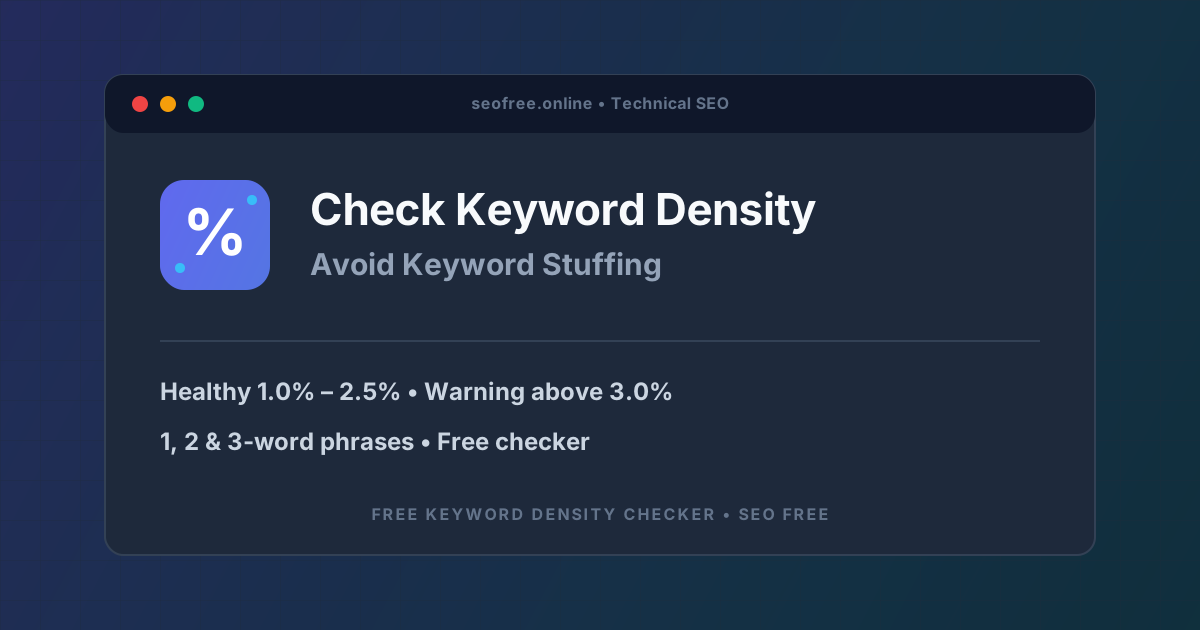
There is no official number published by Google, and anyone who promises an exact "perfect density" is guessing. The range that experienced SEOs and the SEO Free tool use as a guide is 1.0% to 2.5% for a target phrase. Inside that band, the phrase appears often enough to make the topic clear without sounding forced. The tool flags any phrase above 3.0% with a keyword stuffing warning, and anything above 4.0% should be treated as a definite problem to fix.
These numbers are a guide, not a law, and three factors change how strictly to apply them. First, page length: percentages are volatile in short texts, where one or two extra mentions swing the number sharply. A 250-word page with five mentions is already at 2.0%, so judge short pages by raw counts and by how the text reads, and treat the percentage as a rough guide only. Second, page type: a long blog post can carry a target phrase naturally at 1.0% to 2.5% across hundreds of words, while a short product page often reads better lower, with the focus on clear benefits, specifications and a call to action. Third, the phrase itself: a long, specific phrase such as "bulk robots txt tester" will naturally appear less often than a short one such as "SEO", and that is fine. Forcing a long phrase to 2% usually means writing it into sentences where it does not belong.
One more thing the percentage cannot tell you: whether the words read naturally. A density checker measures repetition, not style. Modern algorithms such as BERT and the Helpful Content system care about topical depth, search intent and natural language far more than about a mathematical ratio. The density number is a diagnostic, like a temperature reading — useful, but not a diagnosis on its own. Always finish with a human read-through.
How to check keyword density with the free tool
The Keyword Density Checker on SEO Free runs entirely in your browser. Nothing you paste is stored on the server, so unpublished drafts stay private, and it handles documents of tens of thousands of words with instant, sub-second results. Follow these steps for each draft you want to check.
- Paste your text into the editor. Copy the full text of your article, landing page or blog draft and paste it into the "Paste Article or Page Content" box. Use the finished draft, not an outline: a density check on half a page will not match the published result.
- Tick "Filter Common English Stop Words". This removes "the", "and", "is" and the other grammatical fillers from the frequency tables, so the phrases that describe your topic rise to the top where you can actually judge them.
- Click "Analyze Keyword Density". The engine calculates your total word count, unique word count and estimated reading time — based on an average adult reading speed of 200 to 250 words per minute — and builds frequency tables for 1-word, 2-word and 3-word phrases, each with a count and a density percentage.
- Check the density meter for your target phrase. Find your main keyword in the tables and read its percentage. Anything in the 1.0% to 2.5% range is healthy. Any phrase over 3.0% is flagged with a keyword stuffing warning and needs attention.
- Read the 2-word and 3-word tables, not just the single words. These tables often reveal what a draft actually emphasises, which may not be the keyword you intended. If an incidental phrase outranks your target term, the page's focus has drifted, and the fix is to strengthen the intended phrase in headings and topic sentences rather than sprinkling it randomly through the body.
- Revise the most over-used phrase and re-run the analysis. Replace some repeats with pronouns, shorter references or natural synonyms — "the tool" can become "it", and a full product name rarely needs repeating in every paragraph. Then click "Analyze Keyword Density" again to confirm the new balance. Two or three short passes usually bring the balance down without weakening the topic. Keep a copy of the first report so you can prove the revision helped.
- Run a heading-only check as a final pass. Paste your headings on their own into the tool and analyse them separately. Headings carry extra weight with search engines, so this quick check shows whether they carry the topic clearly or whether the main phrase is missing from the places that matter most.
A real example: catching focus drift before publishing
Numbers make this concrete, so here is what a real check looks like. A 1,200-word blog post pasted into the tool reports 1,248 total words, 482 unique words and a 5-minute reading time. Its top 2-word phrase is "robots txt" at 18 mentions, which is 1.44% density — marked Healthy. That is a page doing its job: the topic is clear, the repetition is natural, and nothing needs fixing.
Now take an 860-word draft about meta tags. The tool reports 864 total words, 371 unique words and a 4-minute reading time. The 2-word table shows "meta tags" 24 times — 2.78% density, close to the warning line — while the intended phrase "meta description" appears only 6 times, at 0.69%. The draft has drifted: it talks about meta tags in general far more than about the specific topic the page is supposed to cover. The fix is not to delete "meta tags" everywhere. It is to replace some repeats with pronouns, and to strengthen "meta description" in two headings. A second analysis shows "meta tags" down to 15 mentions (1.74%) and "meta description" up to 11 mentions (1.27%): a healthier balance and a clearer focus, with no useful content removed.
You can use the same method on other people's pages. Copy the text from a top-ranking competitor page, paste it into the checker, and study their topical phrase distribution. If the pages outranking you use a phrase you barely mention, that is a gap in your coverage, not a reason to copy their exact wording. Write your own content that covers the topic properly, then check your draft the same way before publishing.
Tips for keeping density natural
Write for the reader first, then check the numbers. The best-performing pages are written to answer a question or solve a problem, and their keyword use follows naturally from that. Run the checker after the draft is written, not while you are writing it. Trying to hit a percentage while drafting produces the stiff, repetitive sentences the checker is meant to catch.
Use synonyms and pronouns, but do not overdo it. Replacing some repeats of a product name with "it" or "the tool" is the fastest way to bring a high density down. The mistake is replacing every repeat with the same synonym: you simply create a new over-used phrase, and the 2-word table will show it. Vary the replacements and let some repeats stand where they are natural.
Put the keyword where it counts instead of everywhere. A mention in the title, one in the first paragraph, and a few in headings and topic sentences do more for relevance than twenty mentions scattered through the body. Search engines weight headings and early text more heavily, and readers decide in the first paragraph whether the page is about what they searched for. If your heading-only check shows the topic clearly, the body does not need to repeat it constantly.
Cover the topic, not just the phrase. Semantic search looks at the words that naturally occur around a topic — the co-occurring vocabulary of the subject — rather than exact-match repetition. A guide about keyword density that also talks about stop words, n-grams, reading time and stuffing warnings reads as an expert page, while a page that repeats "keyword density checker" forty times reads as a machine wrote it. Use the related vocabulary; the checker tables will confirm the topic is covered without a single phrase dominating.
Compare drafts before you choose one. If you have two versions of a page — an older one and a revised one — analyse both and compare the reports side by side. Small differences are normal; look for repeated phrases that add no new information. The version with the cleaner balance and the clearer heading focus is usually the better one to publish.
Match the target to the page type. Blog posts and guides can carry a phrase at 1.0% to 2.5% across hundreds of words. Product pages, category pages and short landing pages usually read better with lower density and a stronger focus on benefits and specifications. Do not force a short page to hit a blog post's numbers.
Common problems and how to fix them
A phrase is flagged above 3.0%. This is the keyword stuffing warning, and it means the phrase repeats unnaturally. Work through the text once and replace some repeats with pronouns, shorter references or natural synonyms. Re-run the analysis after each pass. Two or three passes usually fix it. Do not delete every mention: a page with zero mentions of its topic has a different problem.
The wrong phrase is the most frequent one. The 2-word and 3-word tables show an incidental phrase outranking your target term. The page has drifted from its intended topic. Strengthen the intended phrase in headings and topic sentences, and trim the incidental phrase where it adds nothing. Check again: the target phrase should lead the tables for the topic the page claims to cover.
Density looks fine but the page still reads badly. The checker cannot judge whether a phrase reads naturally in context, and a page can pass the percentage test while still sounding robotic. Read the page out loud. If a sentence sounds like it was written to fit a keyword in, rewrite the sentence. No tool replaces a human read-through.
Short pages show wild percentages. On a 200-word page, five mentions of a phrase is already 2.5%, and one extra mention jumps it to 3.0%. Do not panic and do not strip the page bare. Judge short pages by raw counts and by how the text reads, and treat the percentage as a rough guide only. If the page reads naturally and the phrase appears a handful of times, it is fine.
Every repeat was replaced with the same synonym. The density of the original phrase dropped, but the synonym now appears twenty times and the 1-word table flags it instead. Vary your replacements: use pronouns, shorter references and different natural phrasings, and leave some original mentions in place where they are the clearest way to say it.
Useful keyword mentions were deleted until the page lost its focus. Over-correcting is as bad as stuffing. If the target phrase no longer appears in the headings, the first paragraph or the tables at all, the page no longer matches its search intent. Put the phrase back where it belongs — in the title, in a heading, in the opening paragraph — and accept a healthy 1.0% to 2.5% rather than chasing zero.
Frequently asked questions
What is keyword density?
Keyword density is the percentage of times a specific keyword or phrase appears in a text compared with the total word count. For example, if a phrase appears 12 times in a 1,200-word article, its density is 1.0%. The formula is: density % = (number of keyword occurrences / total word count) × 100.
What is a healthy keyword density?
A healthy keyword density is generally between 1.0% and 2.5% for your target phrase. Anything above 3.0% risks triggering keyword stuffing warnings, and above 4.0% should be treated as a definite problem. These are guides, not rules: short pages, product pages and long phrases all need judgement, and modern search engines care more about topical depth and natural language than about an exact percentage.
What is keyword stuffing?
Keyword stuffing is the practice of loading a web page with keywords in an unnatural way to try to manipulate search rankings. Google's spam policies explicitly prohibit it, and pages that do it can be demoted or removed from the search results. The SEO Free checker flags any phrase above 3.0% density with a keyword stuffing warning so you can fix it before publishing.
Should I check 2-word and 3-word phrases as well as single words?
Yes. Single-word counts can hide the real problem: a page may use a word at a safe density while a 2-word or 3-word phrase containing it sits above 3.0%. The 2-word and 3-word tables also reveal focus drift — when an incidental phrase outranks your intended keyword. Always read all three tables before deciding a page is ready.
Does keyword density still matter for modern SEO?
It matters as a balance check, not as a ranking formula. Modern algorithms such as BERT, RankBrain and the Helpful Content system prioritise topical depth, search intent and natural language over rigid density numbers. But density still catches real problems: a page that never mentions its topic, or one that repeats a phrase unnaturally. Use the checker to spot those problems, then fix them by writing better content, not by chasing a magic percentage.
The bottom line
Keyword density is a simple number with a simple job: it tells you whether your page mentions its topic enough to be understood and not so often that it looks like spam. Paste your finished draft into the free Keyword Density Checker, filter the stop words, and read the 1-word, 2-word and 3-word tables. Keep your target phrase in the healthy 1.0% to 2.5% range, treat anything above 3.0% as a warning to fix, and check your headings on their own before you publish. Then read the page out loud — because the number can tell you that a phrase repeats too often, but only a human can tell you whether it reads well. For the other half of on-page optimisation, our guide on writing meta titles and descriptions that get clicks covers how to present that same page in the search results.