
Demystifying "Crawled - Currently Not Indexed"
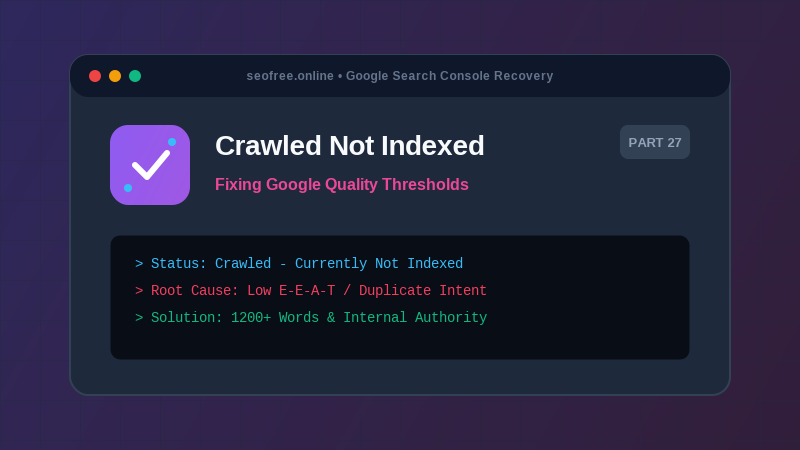
When reviewing the Page Indexing report in Google Search Console, seeing dozens of pages filed under "Crawled - currently not indexed" can be intensely frustrating. Unlike crawl anomalies or server 5xx errors, this status means something very specific:
Googlebot successfully visited the page, read the HTTP 200 response, evaluated the rendered content, but deliberately decided NOT to add the page to its search index at this time.
This is primarily a quality and content differentiation decision, rather than an infrastructure or connectivity bug. Understanding Google's evaluation criteria is the key to getting these URLs indexed.
1. The Four Primary Culprits
A. Thin or Low-Value Content (E-E-A-T Deficiency)
Pages that provide minimal unique value, such as empty tool interfaces, boilerplate category archives, or 200-word superficial articles, fail Google's quality threshold. In the era of Google's Helpful Content System, search engines conserve index storage by excluding pages that offer no unique insight beyond what already exists on the web.
B. Duplicate Search Intent and Keyword Cannibalization
If you have multiple articles or tool URLs targeting virtually identical search queries (e.g., /robots-txt-checker, /robots-checker, /test-robots-txt), Googlebot will crawl all of them, select the strongest variant as canonical, and set the remainder to "Crawled - currently not indexed" or "Duplicate without user-selected canonical".
C. Weak Internal Linking & Orphan Pages
If a page has only one internal link buried deep in a pagination sequence or exists as an orphan URL only discoverable via your XML sitemap, Google perceives the page as low priority. Pages linked prominently from your main navigation, footer, or top-performing blog posts earn internal PageRank, signaling editorial significance.
D. Excessive Parameter and Faceted URLs
E-commerce search filters (e.g., ?sort=new&filter=color_blue) frequently generate thousands of thin, duplicate URLs. If not managed via canonical tags or robots.txt, Googlebot crawls them and excludes them in bulk.
2. Step-by-Step Remediation Plan
- Expand Content Depth to 1,200+ Words: Enhance the page with practical how-to steps, original examples, limitations, and structured FAQ sections.
- Verify Canonical Tags: Ensure the
<link rel="canonical" href="...">matches the exact self-referential HTTPS URL without trailing slash discrepancies. - Implement Breadcrumbs & Related Links: Add contextual internal links pointing from top-ranking articles to the excluded page using descriptive anchor text.
- Request Re-Indexing via URL Inspection: Once updated, open GSC, enter the URL, click Test Live URL, and if successful, click Request Indexing.