
Why hreflang errors cost you international traffic
When your website serves the same content in several languages or for several regions, Google needs a clear signal about which version belongs to which audience. Without that signal, a visitor in London may land on your United States page, a Spanish speaker may be shown the English version, and Google may treat your regional pages as duplicate content. That signal is hreflang, and when it is wrong, the damage is quiet: no crash, no warning banner, just the wrong page ranking in the wrong country.
Hreflang is a set of annotations that tells search engines that a group of pages are language or regional variants of the same content. Each page in the group carries a tag for every other page in the group, including itself, plus an optional x-default fallback for visitors whose language or region matches none of the variants. When the annotations are complete and reciprocal, Google can serve the French page to a searcher in France and the German page to a searcher in Germany. When they are broken, Google ignores the whole cluster and picks a version itself, often the wrong one.
The good news is that most hreflang problems come from a small set of repeatable mistakes, and each one is fixable. This guide explains how hreflang works, how to generate a correct tag set with the free hreflang generator, and how to find and fix the errors Google Search Console reports.
How hreflang works
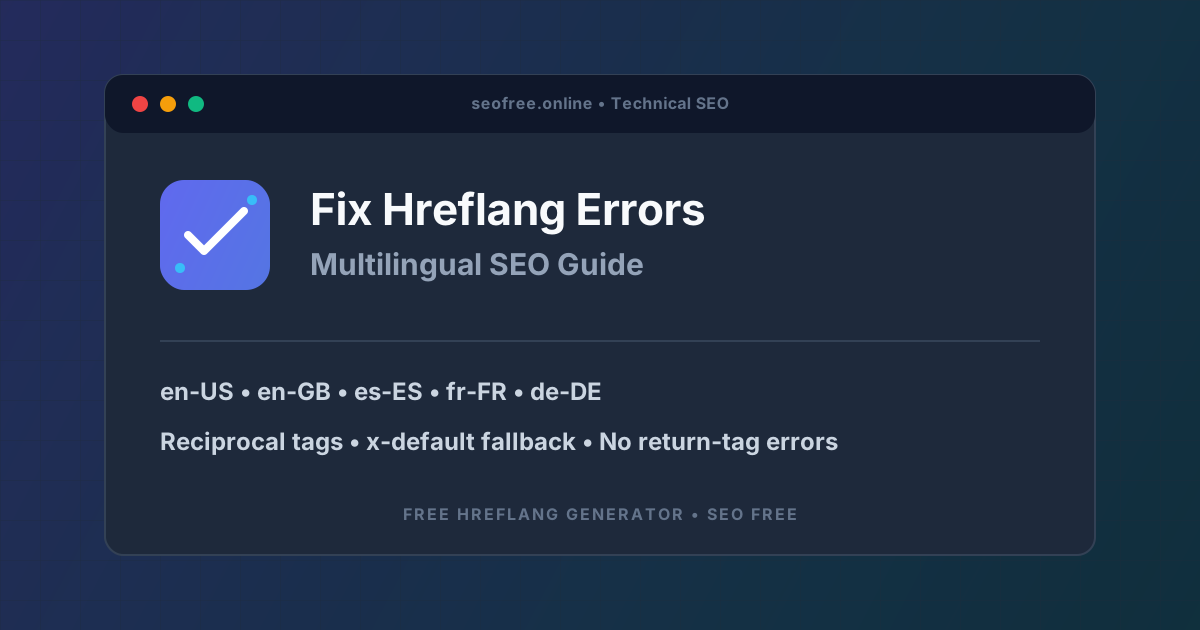
A hreflang annotation is a link element placed in the head of a page, or an entry inside an XML sitemap. It pairs a language-region code with a URL, like this: hreflang="en-GB" pointing at your United Kingdom page, and hreflang="de-DE" pointing at your German page. The code follows the ISO 639-1 standard for language (two lowercase letters, such as en, es, fr, de) and the ISO 3166-1 Alpha-2 standard for region (two uppercase letters, such as US, GB, ES, FR). A language-only code such as es targets all Spanish speakers worldwide, while es-ES targets Spanish speakers in Spain specifically.
Three rules govern the whole system. First, annotations must be reciprocal: if page A points to page B, page B must point back to page A with a matching tag. Second, every page must include a self-referential tag pointing to itself. Third, every URL in the set must be a live, indexable page that returns a 200 status and canonicalizes to itself. Break any of these rules and Google may disregard the annotations entirely.
You can implement hreflang in three places: in the HTML head of each page, in HTTP response headers, or inside an XML sitemap. Pick one method for a given cluster and stick to it. Mixing methods for the same pages creates conflicting signals and makes debugging much harder. For small sites, head tags are simplest. For large sites with dozens of variants, the XML sitemap method keeps the markup out of every page template and lets you maintain the whole cluster in one file.
How the hreflang generator works
The hreflang generator builds a complete, RFC 5646 compliant tag set from a simple form. You enter a base canonical URL, add one row for each language and region variation, and the tool outputs both HTML link tags for your page headers and a formatted XML sitemap hreflang block. It supports ISO 639-1 language codes and ISO 3166-1 Alpha-2 country codes, adds the x-default fallback automatically, and lets you copy the result with one click.
The generator produces the annotation markup only. It cannot verify that your localized pages exist, are indexable, or carry the same tags, so you still need to confirm that every variant returns HTTP 200, is not blocked by robots.txt, and does not carry a noindex directive. Think of the tool as the accurate typist: it writes the tags correctly, but you are responsible for the pages they describe.
Step-by-step: build a correct hreflang set
Follow these steps in order. Skipping the planning step is the most common reason a generated tag set fails in Search Console.
- Map your variant matrix first. List every language-region pair that actually exists as a live page. If your shop has English pages for the US and UK but a Spanish page only for Spain, your matrix has three variants, not four. Never generate a tag for a variant that does not exist yet or that redirects somewhere else.
- Confirm every variant URL returns 200. Open each localized URL and check that it loads, is not blocked by robots.txt, and is not noindexed. A hreflang tag pointing at a redirect, a 404, or a blocked page is ignored, and it can poison the rest of the cluster.
- Enter your base canonical URL in the generator. This is the URL of the default version of the page, usually the version you would show a visitor with no matching language or region.
- Add your language and region variations. Enter each pair exactly as the tool expects, for example en-US, en-GB, es-ES, fr-FR, and de-DE. Remember that the country code uses the official Alpha-2 form: en-GB, not en-UK. Using the wrong code is the single most frequent hreflang mistake.
- Choose an x-default fallback URL. Point it at your base canonical URL or at a language-selector page. The x-default tag tells Google which page to serve when no variant matches the searcher, so international visitors who fall between your regions still land somewhere sensible.
- Click Generate Hreflang Tags and choose your output format. Pick HTML link tags if you will paste the markup into the head of every page in the set, or the XML sitemap block if you prefer to maintain the cluster in your sitemap. The XML sitemap generator can help you build the surrounding sitemap file if you take the second route.
- Paste the complete set into every page in the cluster. Each page must carry the full set of tags, including its own self-referential entry. If you use the sitemap method, every URL entry in the sitemap must contain one child link per variant, plus the x-default. Partial sets are the main cause of no return tag errors.
- Verify the live pages after a few days. Open two or three variants, view the page source, and confirm the tags are present and identical across the whole cluster. Then check Search Console, since Google must re-crawl every page in the cluster before the annotations are trusted, which can take days or weeks.
The most common hreflang errors and how to fix them
Search Console groups hreflang problems under the International Targeting report and the URL Inspection tool. Here are the errors you will meet most often, and the fix for each.
No return tags
This is the classic error: page A points to page B, but page B does not point back to page A. It happens when a new regional version launches and its template is missing the tags, or when one page in the cluster is edited without updating the rest. The fix is to regenerate the complete set and paste it into every page in the cluster, then confirm with view source that each page references all the others, including itself.
Wrong language or region codes
Codes such as en-UK instead of en-GB, or a bare country code such as US with no language, are invalid and cause the entire annotation set to be ignored. Language codes are lowercase ISO 639-1 values and region codes are uppercase ISO 3166-1 Alpha-2 values, always in the form language-region. The generator enforces this format, which is one reason to generate rather than hand-type your tags.
Hreflang on redirected or non-canonical URLs
If a variant URL redirects to another page, or if its canonical tag points at a different language version, Google treats the canonical as authoritative and the hreflang annotations are effectively ignored. Every variant must canonicalize to itself. Read our guide on how to fix canonical URL errors if your canonical tags and hreflang tags are fighting each other.
Conflicting hreflang and robots.txt blocks
A hreflang tag pointing at a page that robots.txt blocks cannot be crawled, so Google cannot confirm the reciprocal link. Check the blocked variant with the robots.txt tester and remove the block, or drop the variant from the cluster until it can be crawled.
Missing x-default
Without an x-default tag, visitors whose language or region matches no variant have no defined fallback, and Google may serve any version it chooses. Always include an x-default pointing at your base canonical URL or a language-selector page.
Practical tips for multilingual SEO
- Keep one implementation method per cluster. Use head tags or the sitemap method, never both for the same pages.
- Use the sitemap method for large sites. It avoids adding dozens of link tags to every HTML page, which reduces page weight and saves server bandwidth.
- Do not rely on hreflang alone for duplicate content. Near-identical regional pages in the same language, such as US and UK English, still need distinct local signals: currency, spelling, shipping information, and local contact details.
- Retire variants cleanly. When a regional version is discontinued, remove its tags from every remaining page, delete its sitemap entries, and redirect the retired URL to the closest matching variant. Leaving one direction in place recreates the no return tag error.
- Remember Bing is different. Bing relies mainly on the html lang attribute and content-language meta tags, while Google and Yandex follow hreflang strictly. Set the lang attribute on every localized page as well as the hreflang tags.
- Check after every launch. A new regional version that ships without the full tag set breaks reciprocity for the whole cluster, so make the hreflang check part of your launch checklist.
Common problems after implementation
The most frustrating hreflang problem is that fixing the tags does not fix the rankings immediately. Google must re-crawl every page in the cluster before it trusts the annotations, and on a large site that can take days or weeks depending on crawl frequency. Use URL Inspection to confirm that Google has detected the tags on a sample of pages, then be patient.
Another common surprise is that the right page still does not rank in a region because the localized page itself is weak: thin content, no local backlinks, or a slow server. Hreflang tells Google which page to serve, but it does not make a weak page rank. Treat hreflang as the routing layer and keep improving the localized pages themselves.
Finally, watch for template drift. On sites where regional pages are built from different templates, a redesign of one template can silently drop the hreflang block from one variant while the others keep theirs. A monthly view-source check of one page per variant catches this before Search Console does.
Frequently asked questions
What is the purpose of hreflang tags?
Hreflang tags inform Google and other search engines which language and regional version of a page to serve based on the searcher's location and language preference, so the right audience sees the right version.
Can I use hreflang for language alone without a country?
Yes. A language-only code such as es targets all Spanish speakers worldwide, regardless of region. Add a region code only when you have a distinct page for that region.
What is the x-default hreflang attribute?
The x-default tag points to the fallback page shown to users whose language or region does not match any specified variant, or to a global language-selector page.
How long does Google take to process new hreflang tags?
There is no instant effect. Google must re-crawl every page in the cluster before the annotations are trusted, which can take days or weeks depending on crawl frequency. Use URL Inspection to confirm the tags were detected.
Should canonical URLs match hreflang URLs?
Yes. Each localized page must have a self-referential canonical tag matching its own URL, never pointing at the main English version, or Google will fold the localized page into the canonical version and ignore its hreflang annotations.
The bottom line
Hreflang errors are almost always caused by incomplete or mismatched tag sets: a missing return tag, a wrong country code, a variant that redirects, or a canonical tag that contradicts the annotations. The fix is a disciplined workflow: map the real variant matrix, confirm every URL is live and indexable, generate the complete reciprocal set with the free hreflang generator, place the full set on every page in the cluster, and verify it in Search Console after the next crawl. Do that, and Google will stop guessing which version to serve and start serving the right one.