
AI search engines do not read your website the way Google does. When someone asks ChatGPT, Claude or Perplexity a question, the answer often comes from a page the AI fetched and summarised — and the page it fetches is usually your normal HTML, navigation menus, sidebars, cookie banners and all. A new file called llms.txt aims to fix that: a short, plain-text guide to your site, written for large language models instead of browsers.
This guide explains what llms.txt is, what it can and cannot do, what a good one contains, and whether your site should have one. The honest starting point: llms.txt is a proposal, not a standard. No search engine requires it, and no AI company is obliged to read it. But the idea has spread fast in 2026 — several free SEO tool sites now ship llms.txt generators — because the cost of adding one is a single small text file, and the potential upside is being understood correctly by the systems that increasingly answer questions on your behalf.
What is llms.txt?
llms.txt is a Markdown file placed at the root of a website — yoursite.com/llms.txt — that summarises the site for AI systems: what it is, what its most important pages are, and where to find the detail. The format was proposed in September 2025 by Jeremy Howard, and it borrows its idea from robots.txt and sitemap.xml: a small, standard file at a known address that machines can find without guessing.
A typical llms.txt has three parts. A short heading with the site name and a one- or two-sentence description. An optional section of background notes. And a list of links to the site's key pages, each with a one-line description of what the page covers. Longer sites add a companion file, llms-full.txt, with the full text of the important pages, so an AI can read the content without crawling every page.
The point is curation. Your sitemap already lists every page — but it says nothing about which pages matter, and an AI that follows it has to read everything to find out. llms.txt is the editor's cut: the ten pages that explain the site, in the order that makes sense, with a sentence each on why they matter.
What llms.txt does — and what it does not do
First, what it does not do. It does not control whether AI crawlers visit your site — that is robots.txt's job, and our site already covers AI crawlers and robots.txt rules in detail. It does not guarantee that ChatGPT or Perplexity will cite you, quote you, or even read the file. And it is not a ranking factor in Google Search; adding llms.txt will not move a page in the ordinary search results.
What it can do is narrower and still worth having. For the AI systems that do fetch it, it gives a clean, fast summary of your site without the noise of navigation, ads and cookie banners. That matters most for sites whose value is information: documentation, guides, tool collections, reference pages. A tool site like this one — seven free tools and forty guides — is exactly the kind of site an llms.txt describes well, because the file can point straight at each tool and each guide with a line explaining what it does.
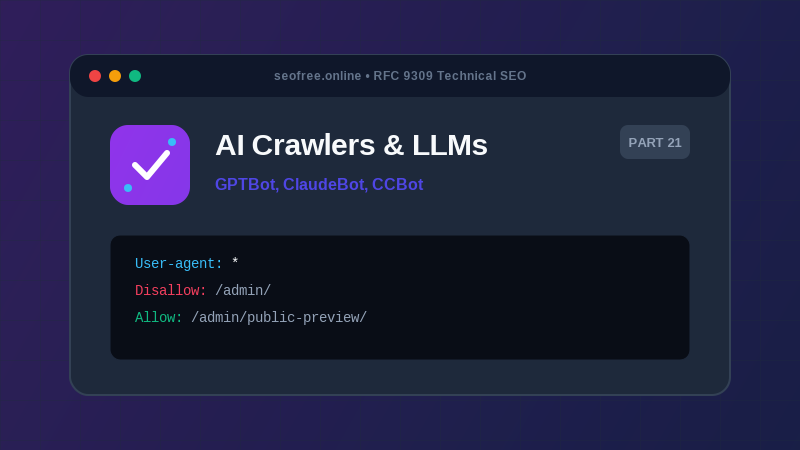
There is also a defensive use. AI crawlers are already fetching sites whether owners like it or not, and many site owners are now deciding deliberately which AI crawlers may train on their content and which may only answer questions. llms.txt does not make that decision — robots.txt does — but the two files work as a pair: robots.txt sets the permissions, llms.txt supplies the summary for the crawlers you allow in.
What a good llms.txt contains
Keep it short and factual. A good llms.txt for a small site is under 100 lines:
1. Name and description. One heading, one or two sentences: what the site is and who it is for. No marketing language — an AI does not need to be persuaded, it needs to be informed.
2. The essential pages, with one line each. Your tools and your best guides, linked with absolute URLs. Each line should say what the page does, not what you wish it ranked for. For a site like SEO Free that means one line per tool — robots.txt tester, sitemap validator, hreflang generator — and one line per flagship guide.
3. Optional background. A short section for context that does not belong on any single page: how the tools work, what data they do or do not collect, whether anything needs a signup. Keep it to facts a visitor could verify.
4. A link to llms-full.txt, if you make one. The full file contains the complete text of the key pages. It is optional, and for a small site it is often unnecessary — the linked pages themselves are the full text. Only build one if your most important content is hard for a crawler to reach, for example behind JavaScript or spread across many pages.
What it should not contain: keyword-stuffed descriptions, claims the site cannot support, private URLs, admin pages, or anything you would not want quoted back to a user. Remember that the file is public — anyone can read yours at /llms.txt, exactly like robots.txt. Do not list anything there that you would not publish on an ordinary page.
How to add llms.txt to your site
The steps are deliberately boring, which is the point:
1. Write the file. A plain text editor is enough. Start with the heading and description, then list your ten most important pages with one honest line each. Use absolute URLs — https://yoursite.com/tool-name — because the file may be read out of context.
2. Save it as llms.txt and upload it to the root of your domain, next to robots.txt and sitemap.xml. It must open at https://yoursite.com/llms.txt and return a 200 status as plain text.
3. Check it loads. Open the URL in a private browser window. If it shows as plain text, it works. If it downloads, redirects or returns a 404, fix the upload before going further.
4. Keep it in step with the site. An llms.txt that lists a tool you removed, or a guide you rewrote, is worse than no file — it teaches the AI the wrong site. Update it whenever you add or remove a major page, the same way you would update a sitemap. And check the sitemap itself is still valid while you are there: our free Sitemap Validator catches the errors that stop search engines reading it.
5. Check your robots.txt at the same time. llms.txt only helps with the crawlers you allow in. If your robots.txt blocks GPTBot or ClaudeBot, those systems will not read your llms.txt either — which may be exactly what you want, but it should be a decision, not an accident. Test the rules with our free Robots.txt Tester before you publish, and read our guide on AI crawlers and robots.txt rules if you have not set those rules deliberately yet.
Should you add one?
For most small sites the answer is: yes, if it takes you twenty minutes, and no, if it takes you a day. The file is cheap to write, costs nothing to host, and can only help the AI systems that choose to read it. But it is not a substitute for the work that actually gets a site found: crawlable pages, a valid sitemap, honest titles and descriptions, and content worth citing. A site with thin pages and a perfect llms.txt will still be ignored, because the AI has nothing good to summarise.
Do it in this order: make sure Google can crawl and index the site, make sure the sitemap is valid, and only then write the llms.txt that points at the pages worth reading. That is twenty minutes well spent — and if the AI search engines never read the file, you have lost twenty minutes, not a weekend.
Frequently asked questions
Is llms.txt an official standard?
No. It is a proposal, published in September 2025 by Jeremy Howard, and no search engine or AI company is required to follow it. That is also why it is cheap to adopt: there is no certification, no validator to pass and no penalty for getting it slightly wrong. Treat it as a helpful convention, not a rule.
Will adding llms.txt improve my Google rankings?
No. Google has not said llms.txt is a ranking factor, and it does not change how Google crawls or ranks ordinary search results. Its only possible benefit is with the AI systems that choose to read it — and even there it improves understanding, not position.
Does llms.txt replace schema markup?
No, the two do different jobs. Schema markup describes a single page for search engines, in a structured format they can turn into rich results. llms.txt summarises a whole site for AI systems, in plain text they can read quickly. A site can use both: schema on its pages, llms.txt at its root. Our guide to schema markup explains the page-level side in detail.
Do I need an llms-full.txt as well?
Usually not. llms-full.txt holds the complete text of your key pages, and it is only worth building when that content is hard for a crawler to reach — for example, behind JavaScript or split across many pages. For most small sites the linked pages themselves are the full text, so a single llms.txt is enough.
Can I block AI crawlers and still use llms.txt?
You can have both files, but they will not work together for a crawler you block. robots.txt controls access: if it blocks GPTBot or ClaudeBot, those systems will not read your llms.txt either. That may be exactly what you want — but make it a deliberate decision, not an accident. Read our guide on AI crawlers and robots.txt rules before you decide which crawlers get in.
The bottom line
llms.txt is a twenty-minute file for a real, if modest, gain: a clean summary of your site for the AI systems that increasingly answer questions on your behalf. It is not a standard, not a ranking factor, and not a substitute for crawlable pages and a valid sitemap. But for a site like this one — free tools and forty guides that an AI would otherwise have to piece together from navigation menus — it is the cheapest way to make sure the summary is yours, written by you, and pointing at the pages that matter.